
Happy Sunday! This week, we are heading behind the scenes on a few photos of mine as I show you the before and after edits in this week’s Lens-Artist Photo Challenge #294, hosted by John of Journey with Johnbo.


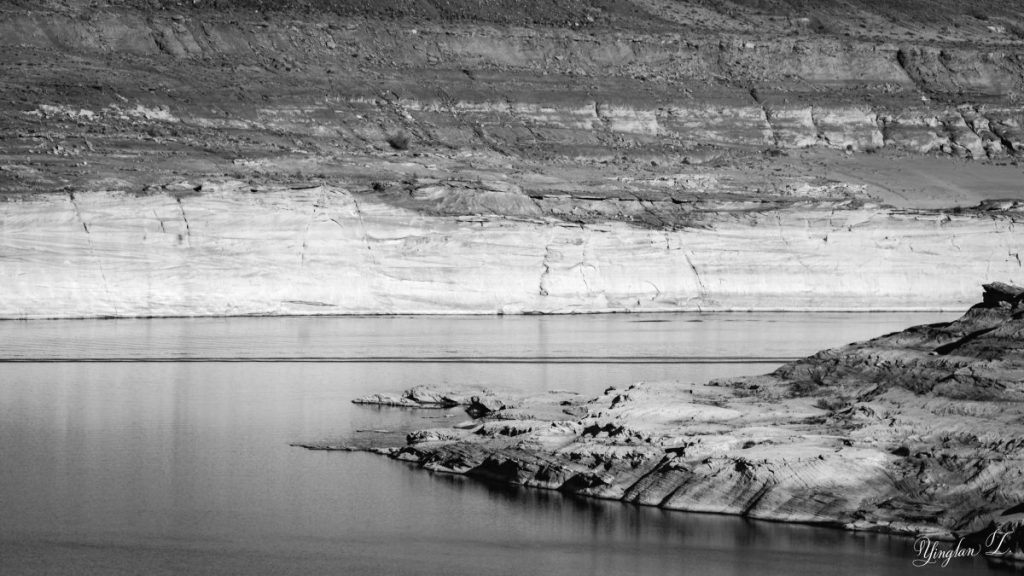
This is a photo of Lake Powell, taken from the bridge of the Glen Canyon. For those who don’t know, Lake Powell straddles the borders of Utah and Arizona. The photo was taken the day after Christmas last year.
The first photo is the original while the others are edits. I do all of my photo edits in Lightroom. Most of the time, I would only have one version of edits but for some photos, such as this one, I have two versions because, well, my indecisive brain couldn’t figure out which edit I liked better – the color or the black and white – so I kept both.


When I do my photo edits, I like to experiment by moving the sliders to the extremes before deciding on a specific level of highlights, shadows, contrast, etc. This allows me to see how far I can take the edits without making the photo look washed out or strange.
Looking at the amount of edits I’ve done for this photo, I can say that this photo went through some edits I would normally not do, like +53 on texture and clarity, -30 on dehaze, and -100 on whites. I rarely use anything over +/- 30 but I felt this photo needed the makeover at the time.
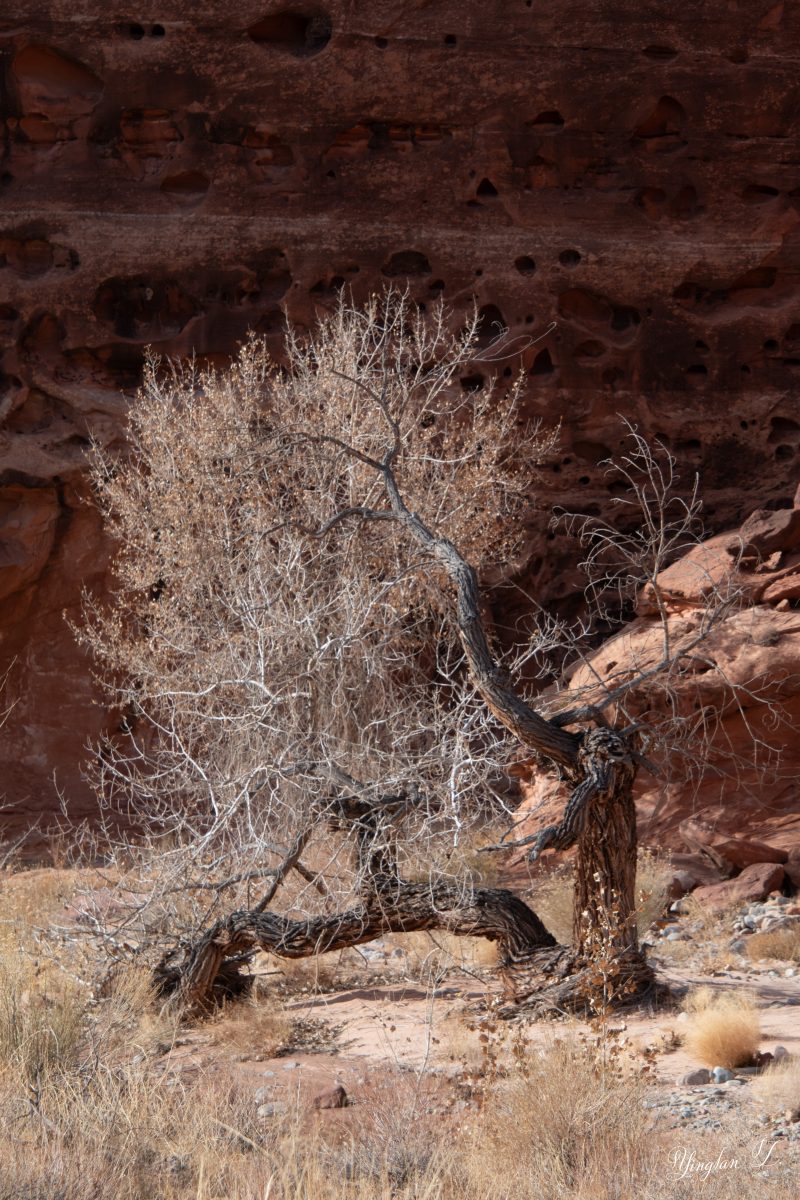

Lastly, I am a firm believer of always testing the possibility of cropping the photo. Sometimes, cropping helps the subject stand out. I also think a little bit of vignette and color adjustments helped, too.


Nice edits!
LikeLiked by 1 person
Thank you. 🙂
LikeLiked by 1 person
Nice
LikeLiked by 1 person
Thank you.
LikeLiked by 1 person
I DO love the first edit of Lake Powell, because of the color contrast, but it works well in B & W too. I also like the crop and vignette of the last photo, Yinglan.
LikeLiked by 1 person
Thank you. I think the black and white version add a little drama to the photo but now that I’m looking at it, I think I was trying to make the photo look old-timey.
LikeLiked by 1 person
Lovely. That last edit definitely looks better with the crop and the vignetting.
LikeLiked by 1 person
Thank you. I think it looks better, too.
LikeLiked by 1 person
Great selections and highlights. Well done.
LikeLiked by 1 person
Thank you.
LikeLiked by 1 person
I like the edits with more intense colors, especially the second one of Lake Powell.
LikeLiked by 1 person
I used to edit my photos to make the colors pop out in an intense kind of way. I thought it was too intense and have been dialing back in the last few years.
LikeLiked by 1 person
Yes, I agree that sometimes people can go overboard when increasing the color intensity. Everything in moderation. 🙂
LikeLiked by 1 person
Love the edits.
LikeLiked by 1 person
Thank you.
LikeLike
Beautiful edits, Yinglan. I really loved the last one with cropping and vignette!
LikeLiked by 1 person
Thank you. 🙂
LikeLike
Nice edits, Yinglan.
LikeLiked by 1 person
Thank you.
LikeLike